NexChrom · Product tour
NexChrom in pictures
Sixteen screens, from CDS file to certificate
The overview and worklist, data import, methods, calibration, calculation with uncertainty, review, quality control and certificates.
Development version with demonstration data; details may change before the release in early 2027. Click a screen to enlarge it.
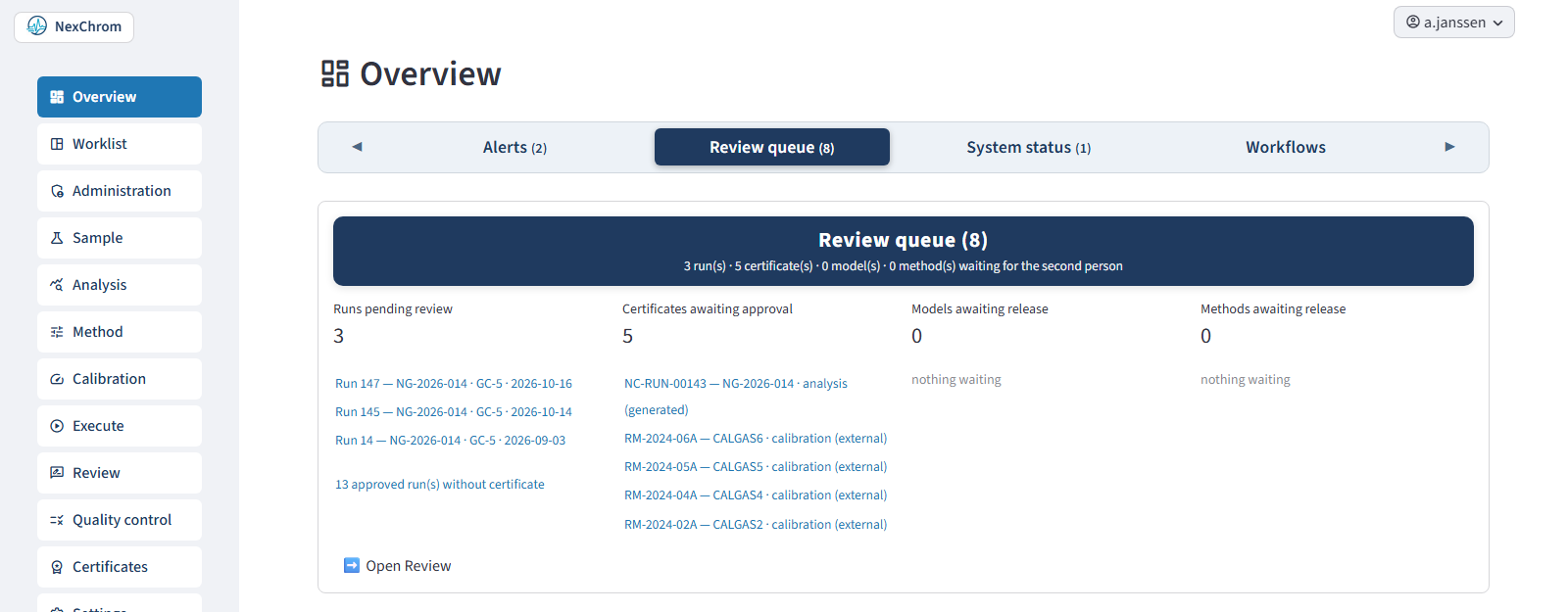
1 · Overview
Everything that needs attention, at a glance
The overview shows alerts, the review queue and the status of each instrument. Here the review queue: runs, certificates, calibration models and methods waiting for the second person.
2 · Worklist
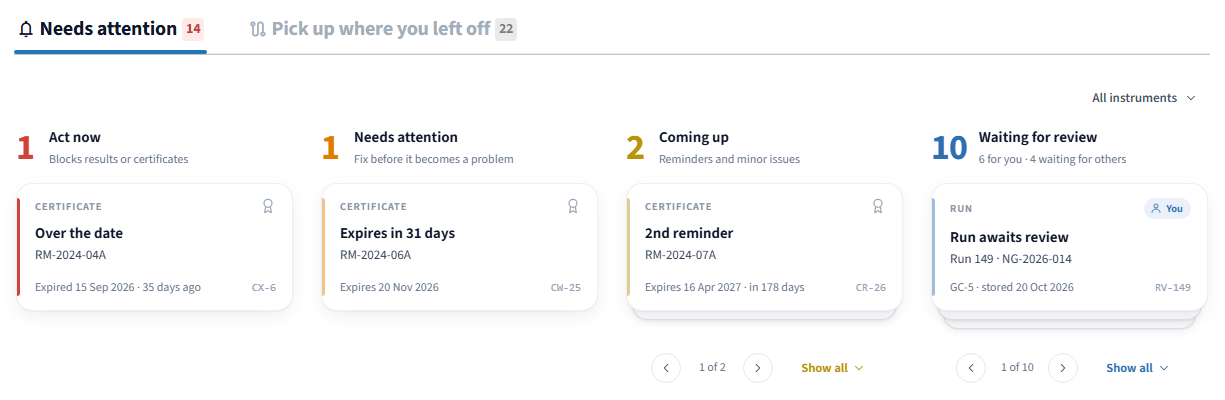
The day’s work as piles of cards
The same alerts and open work as piles of cards, in four stacks by urgency: act now, needs attention, coming up and waiting for review. Each card carries a reference; the review cards say whose turn it is.
3 · Worklist
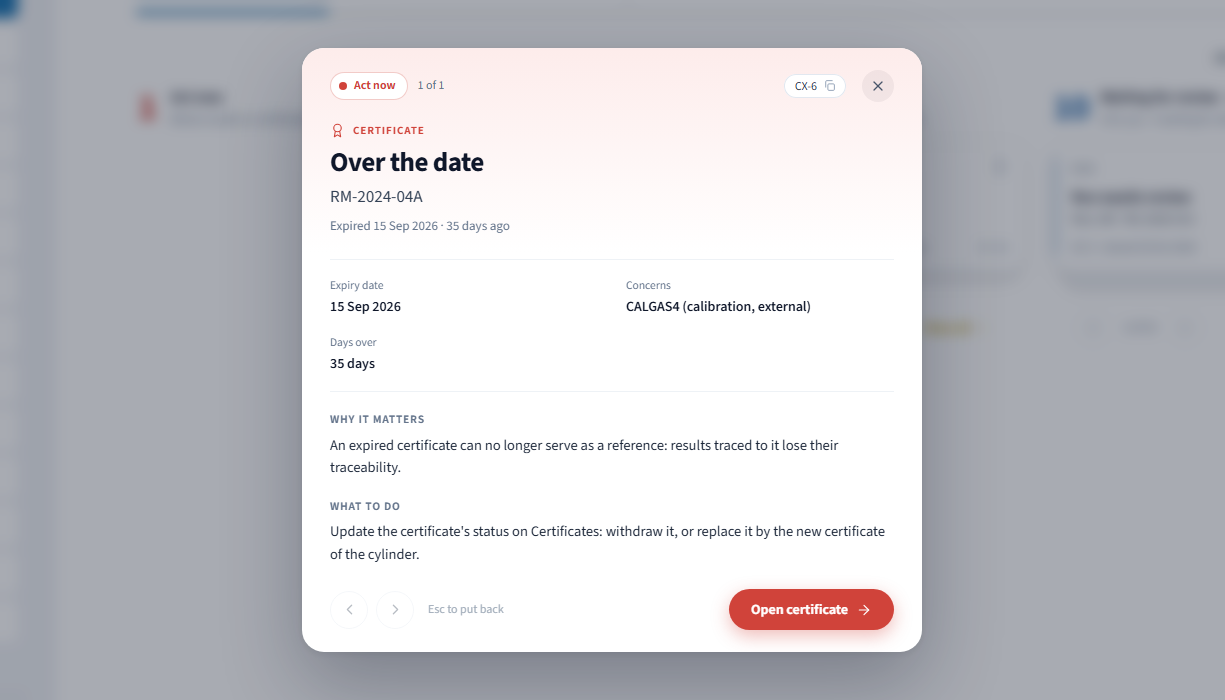
One click opens the card
An opened card shows the facts, why it matters and what to do, and one button takes you straight to the record.
4 · Worklist
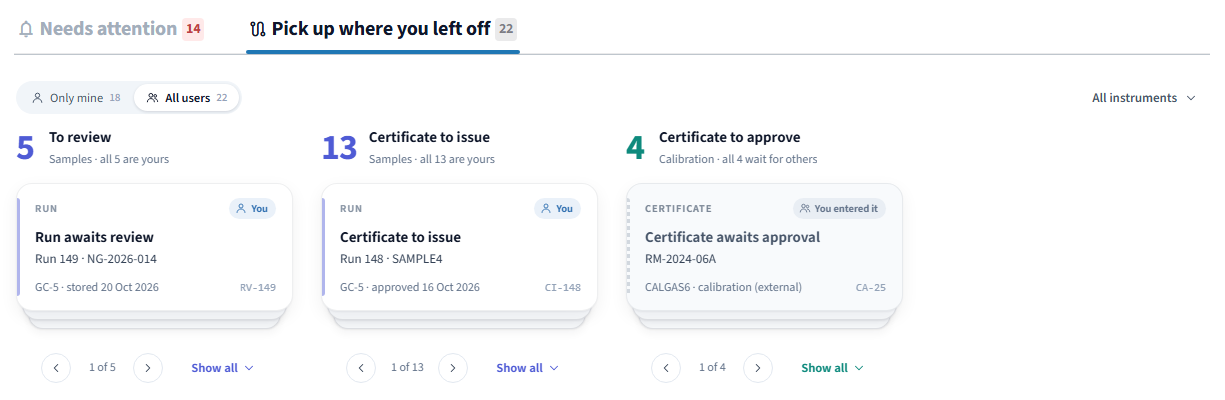
Pick up where you left off
The unfinished work along the routes, one pile per process step: runs to review, certificates to issue or approve. Show only your own work, or everyone’s.
5 · CDS data
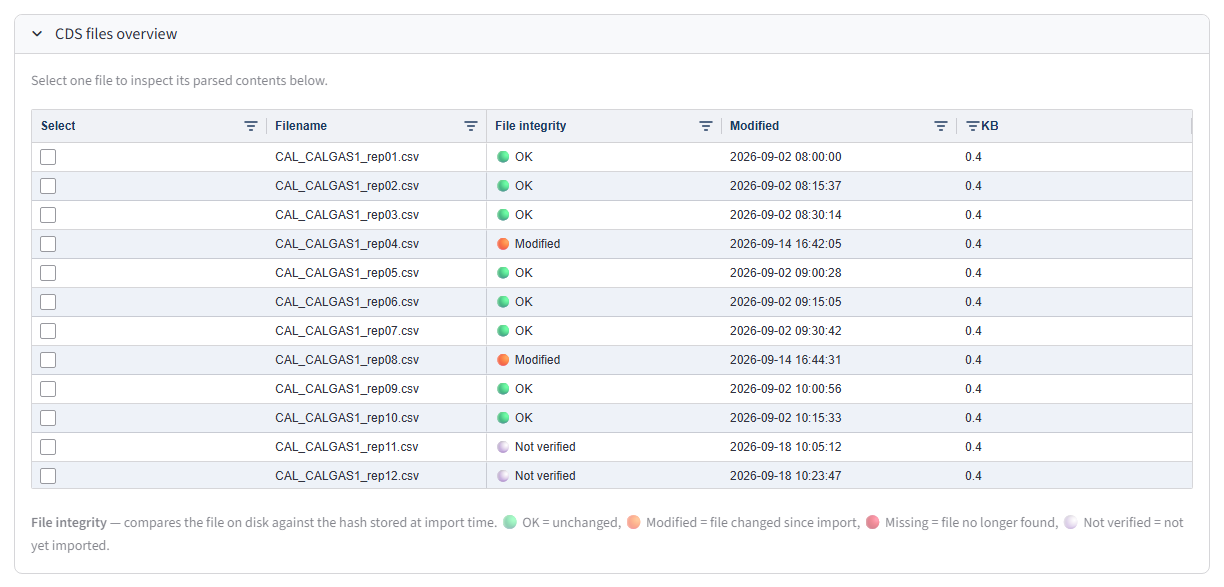
Data straight from the chromatography data system
NexChrom reads the CDS files of each instrument directly and takes the peak areas into its own database as the CDS reported them: no re-integration, no retyping. Every imported file is registered with a digital fingerprint (hash), so you see at once whether a file on disk has changed since import.
6 · Method
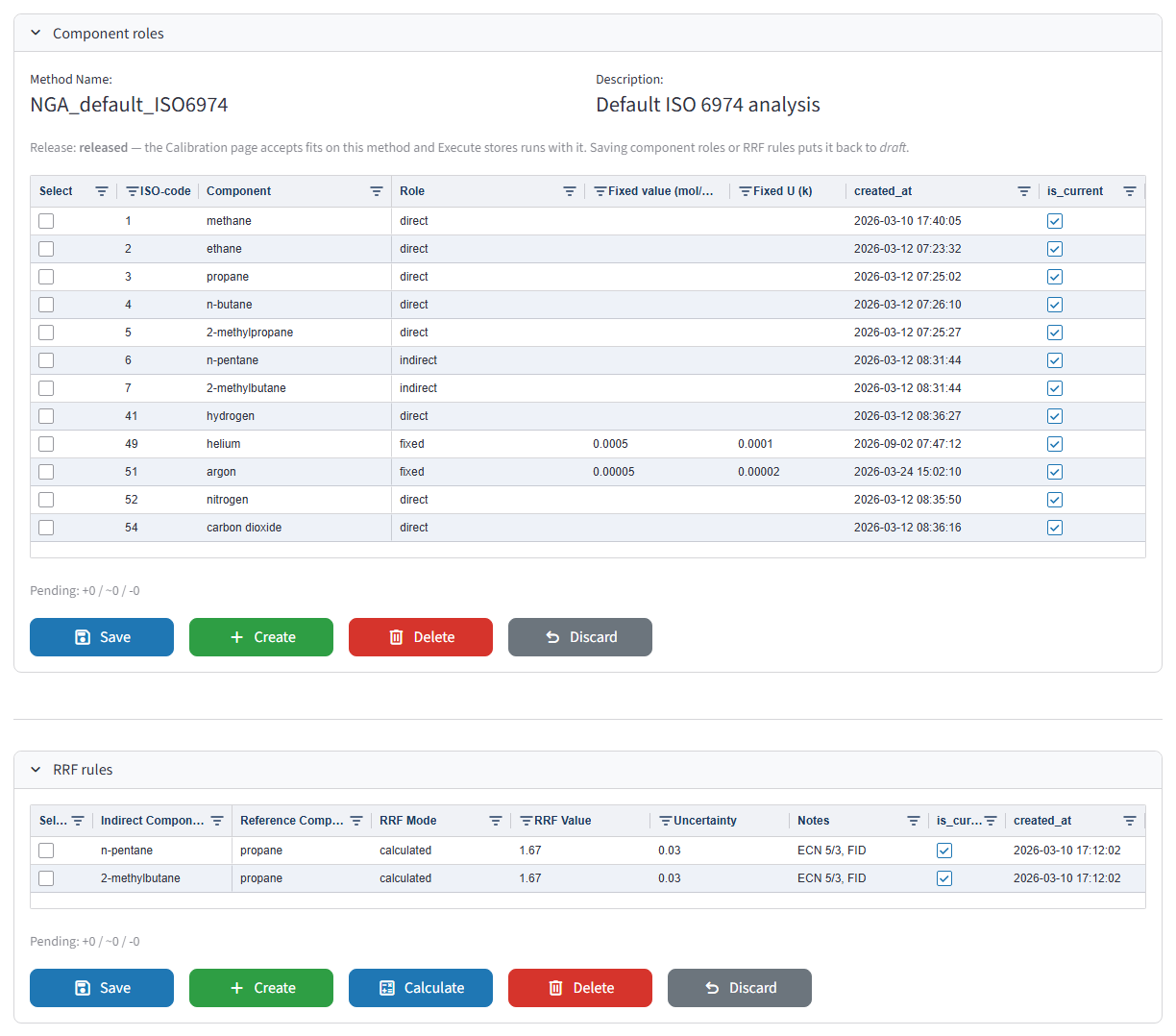
Methods with component roles
Each component is quantified directly against the calibration, indirectly through a relative response factor, or as a fixed certified value: trace, main and balance components in one method.
7 · Calibration
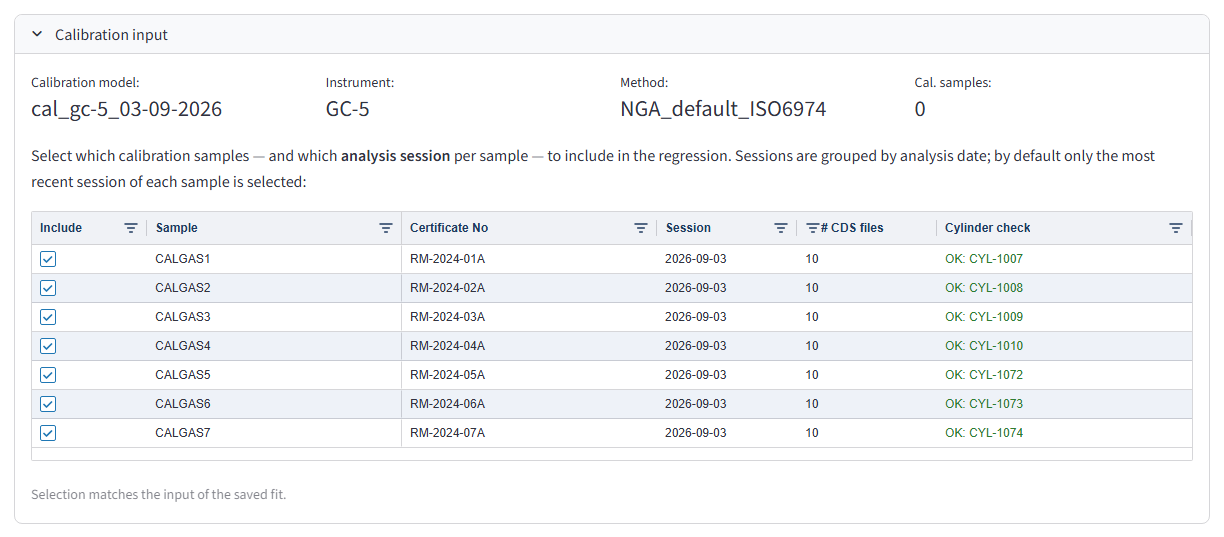
Calibration gases with their certificates
Choose the calibration gases and analysis sessions for the regression. Certificate values come with the gas, and the cylinder number is checked against the certificate.
8 · Calibration
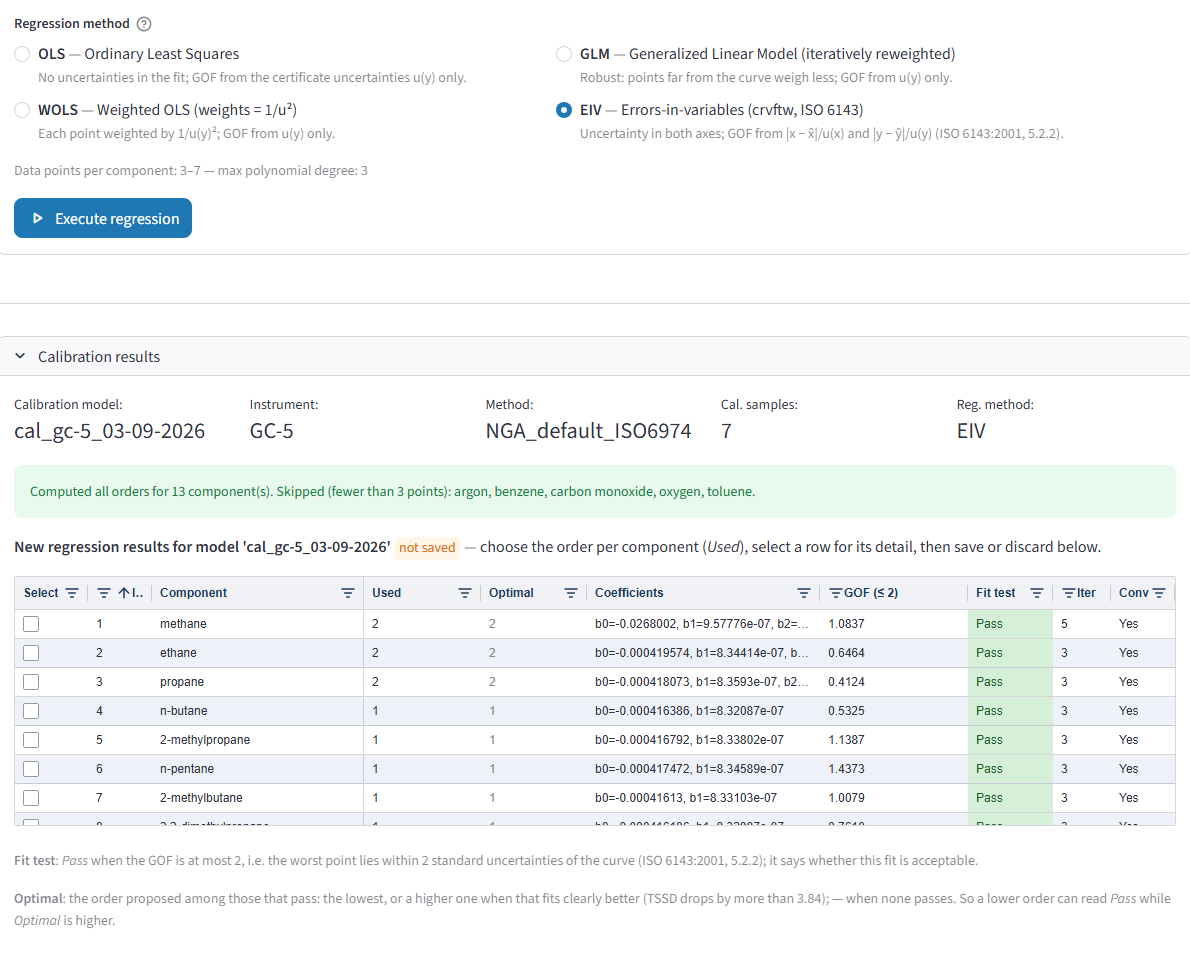
Every fit with its statistics
The regression method (errors-in-variables in conformity with ISO 6143 by default, or ordinary, weighted and robust least squares), and per component and order the goodness of fit with its limit, the fit test, the proposed order and the order in use, which stays your choice.
9 · Calibration
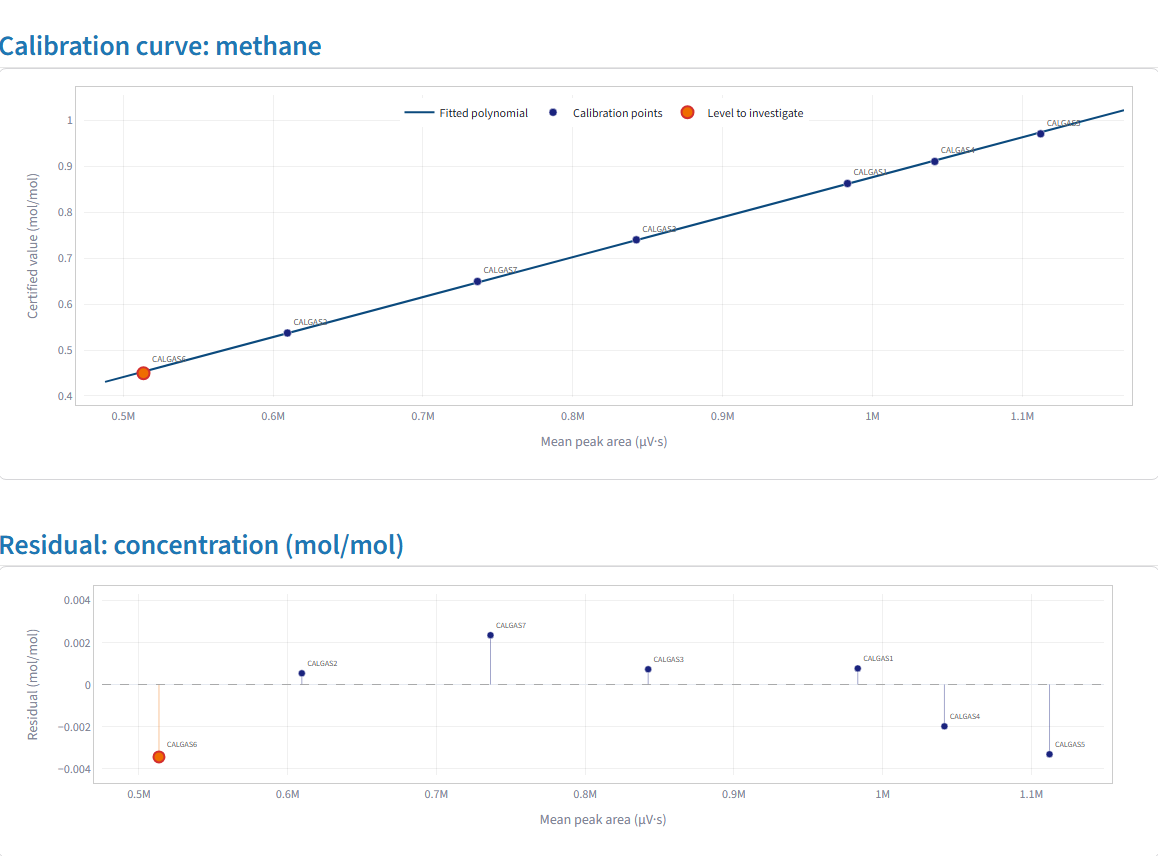
Calibration curve, residuals and outliers
The fitted curve with every calibration point, and the residual of each point: whether a calibration holds is visible at a glance, not taken on trust. When a fit fails and would pass without one level, that level is marked in orange as the one to investigate. Behind each point are its replicate analyses, which can be screened per calibration level: deviation from the mean, z-score, a control chart with ±1, 2 and 3 s limits and a Grubbs outlier test. A deviating replicate can be excluded from the regression of this model, with its reason stored and logged; the exclusion is reversible and the analysis itself stays untouched.
10 · Calibration
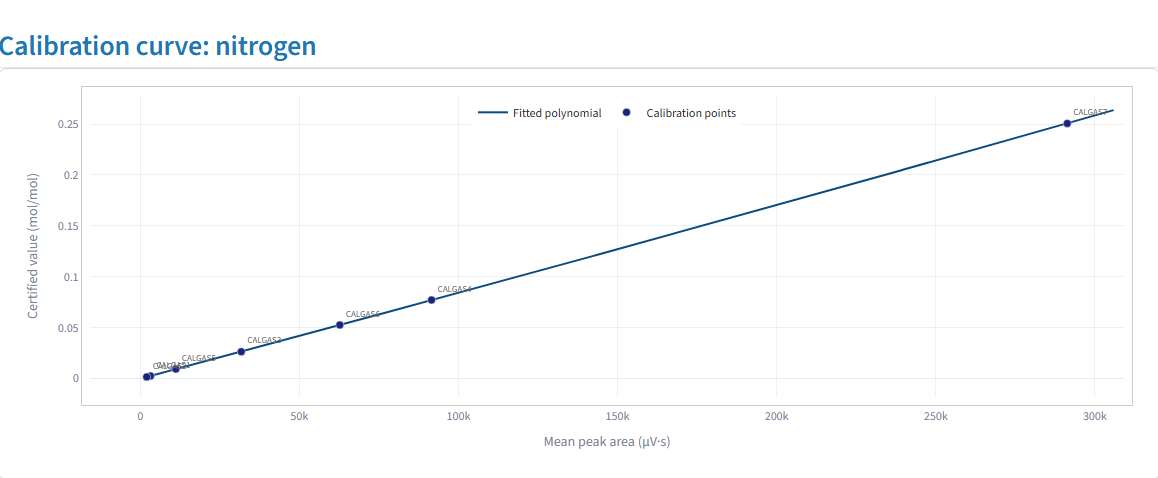
A second order where the data ask for it
NexChrom fits every polynomial order and proposes the order the data support. For nitrogen that is a second-order fit, here with errors-in-variables regression in conformity with ISO 6143, so the curve follows the response over the full calibrated range.
11 · Calibration
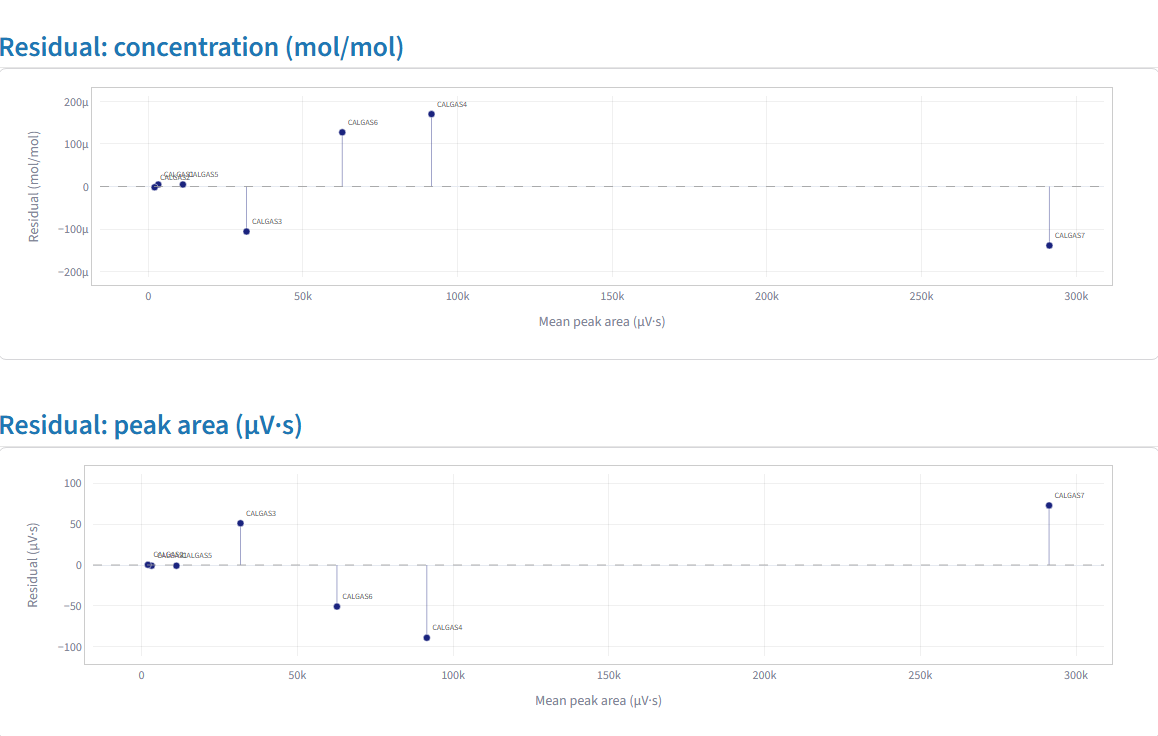
Two residuals with errors-in-variables
Errors-in-variables regression treats both the certified value and the peak area as uncertain, so every calibration point has two residuals: in concentration and in peak area. Both are shown, each point labelled with its calibration gas.
12 · Calibration
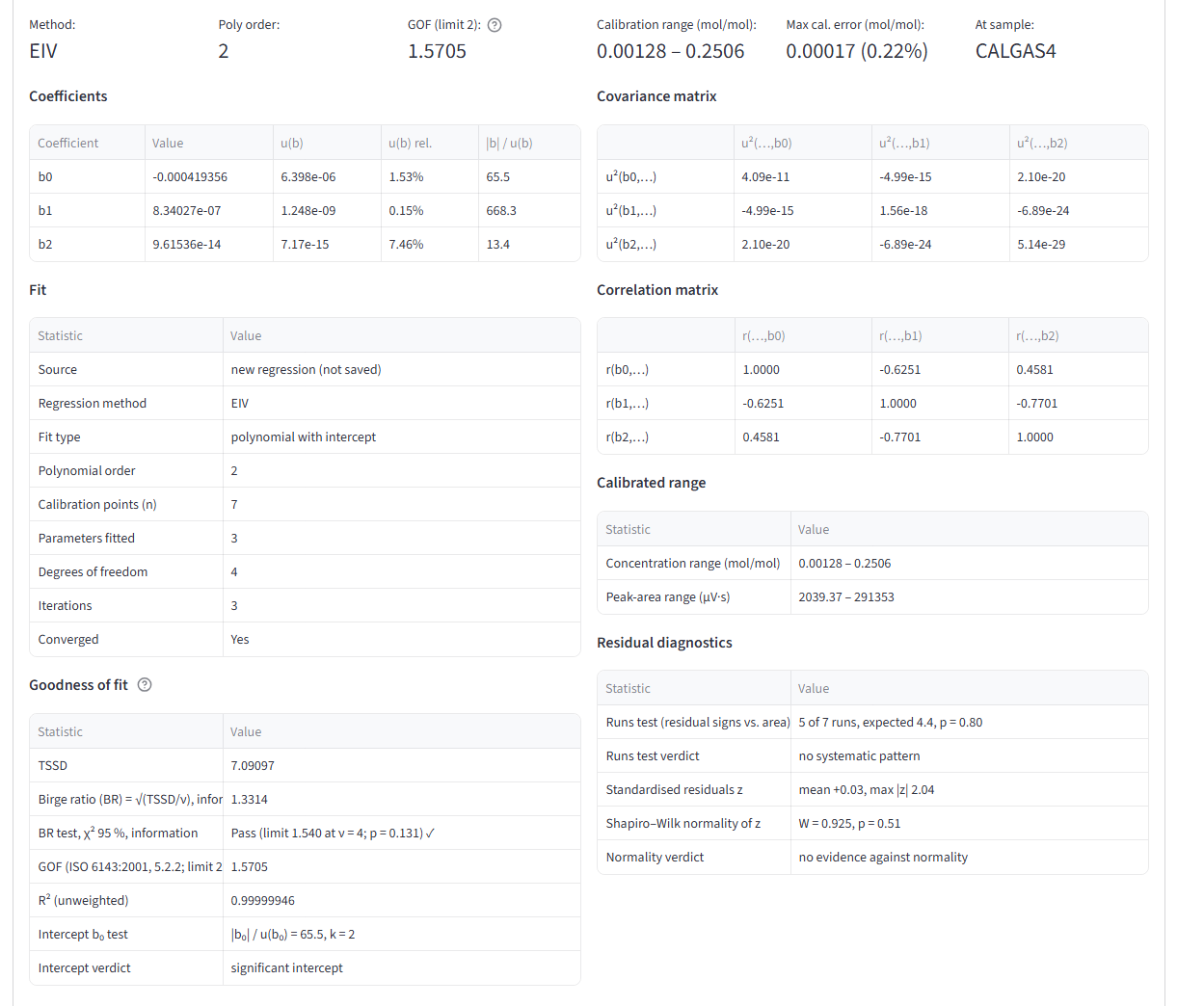
The regression in full
Coefficients with their standard uncertainty, the covariance and correlation matrices, the goodness of fit, the calibrated range and residual diagnostics: a runs test for systematic patterns and a Shapiro-Wilk test for normality.
13 · Execute
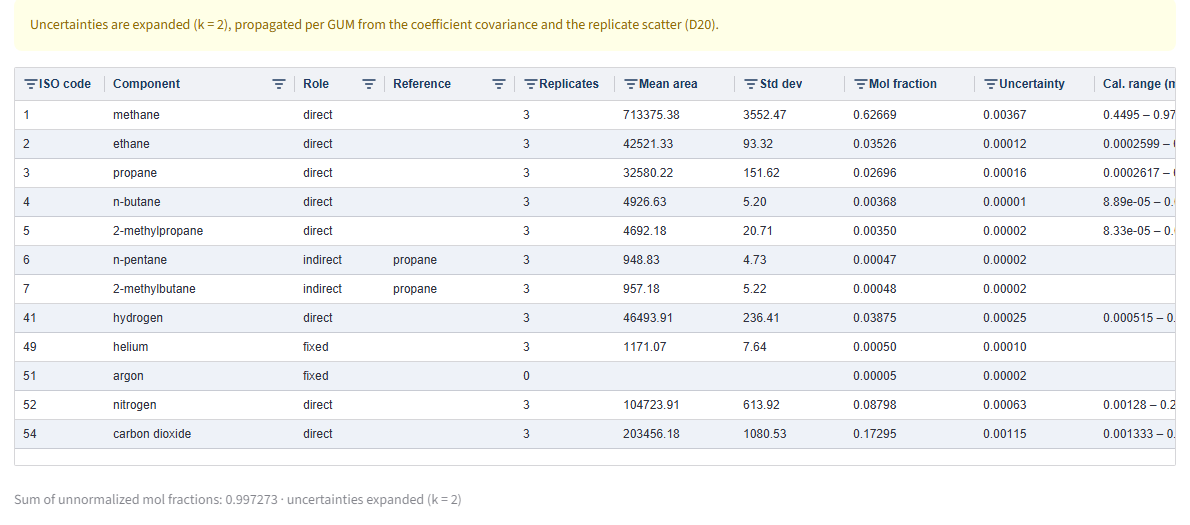
Mole fractions with their uncertainty
Every mole fraction comes with its expanded uncertainty (k = 2), propagated per GUM from the calibration and the replicates; indirect components follow through their response factor.
14 · Review
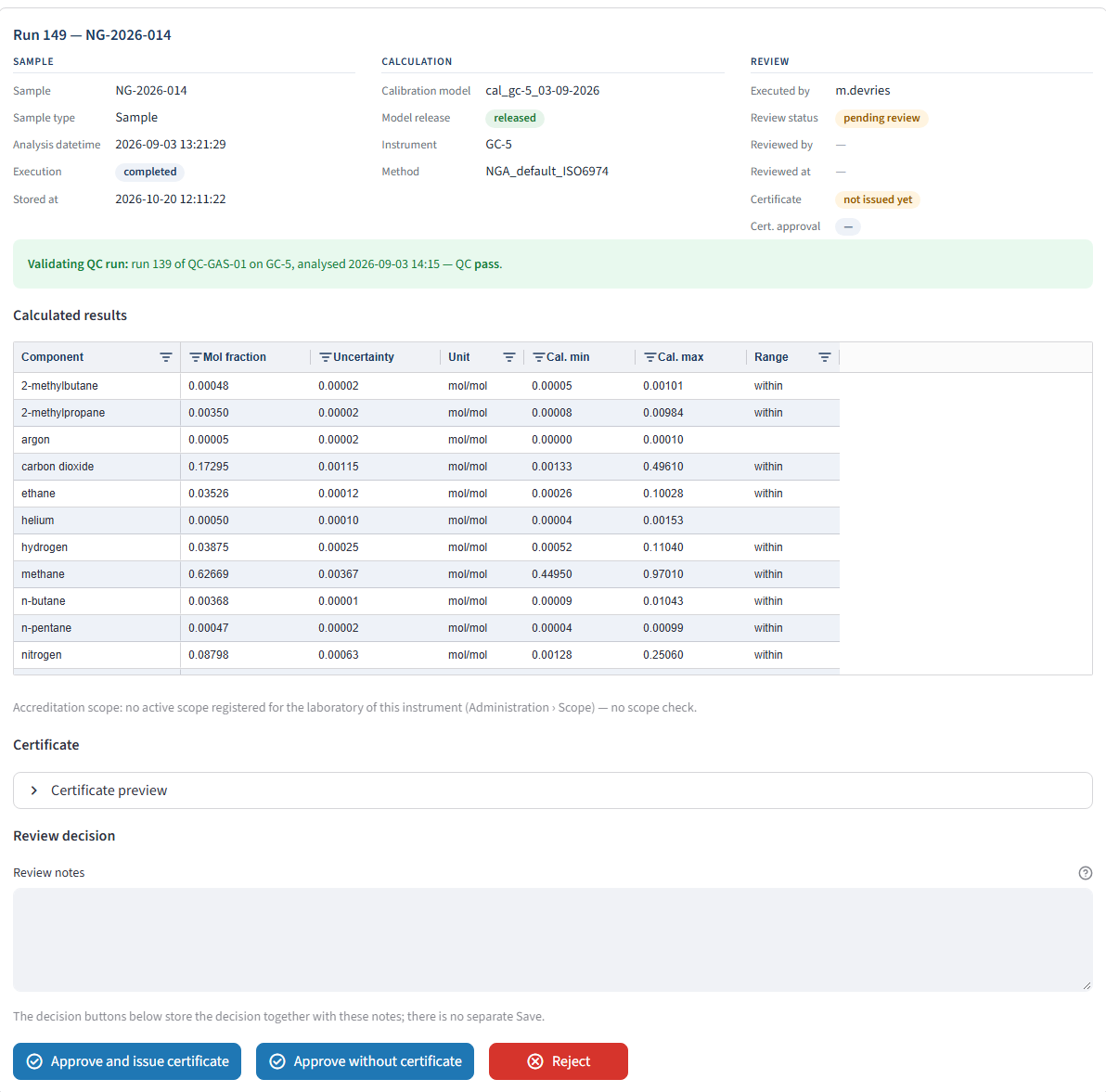
Release by a second person
A second person reviews the run: sample, calibration model, method, the validating QC run and every result against the calibrated range. Approve and issue the certificate in one step, or reject; each decision is recorded.
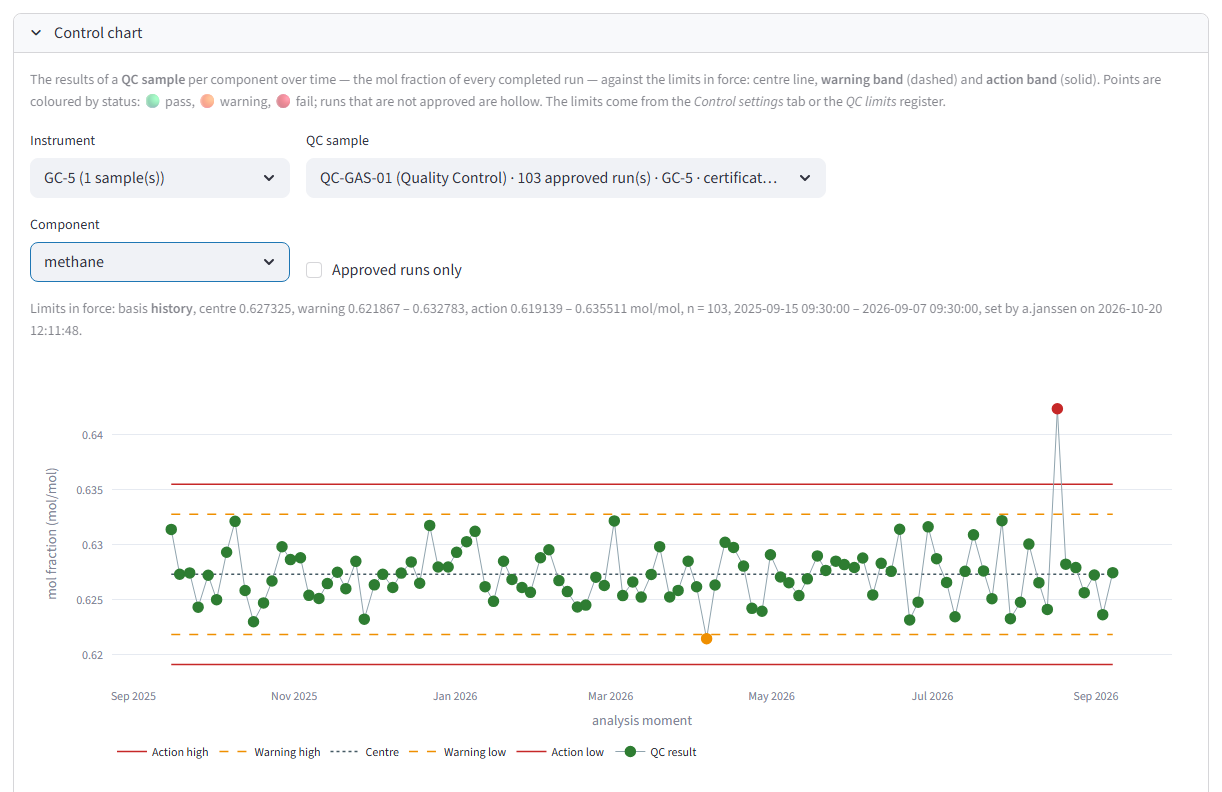
15 · Quality control
Control charts for QC samples
QC results over time against warning and action limits derived from the history. Deviating runs stand out, and a failed QC run cannot be approved.
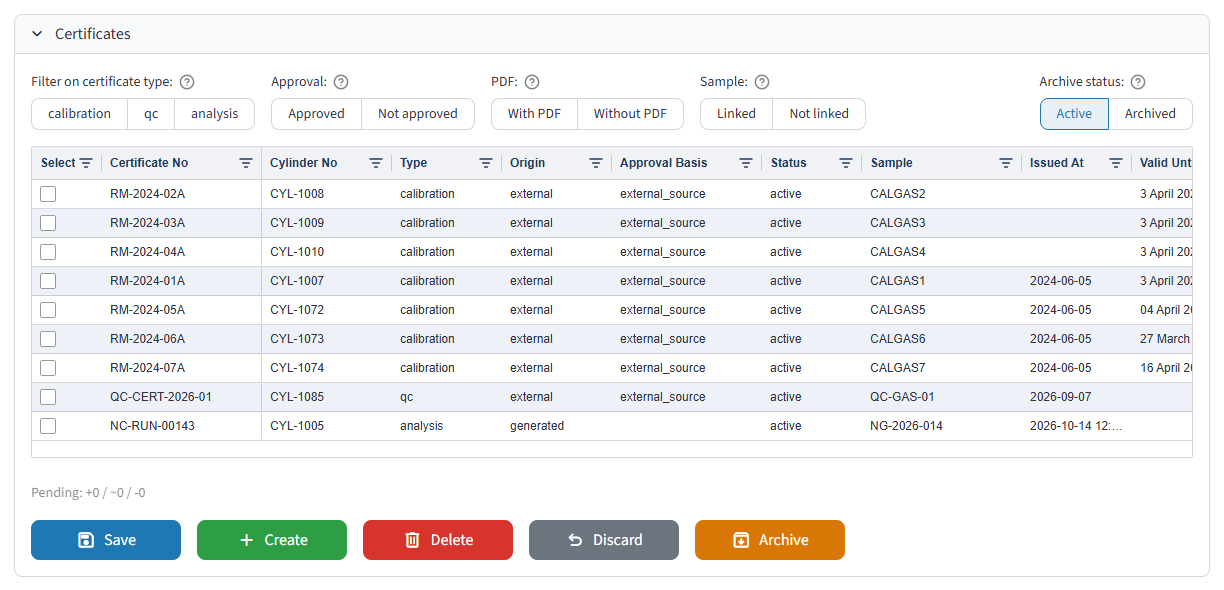
16 · Certificates
The certificate register
Reference and QC certificates with their approval status, source PDF and validity, imported from PDF or entered by hand, and linked to their samples.
Coming early 2027
See NexChrom with your own data: request a preview of the workflow from CDS file to approved certificate.
Descriptions reflect the products as they are being developed and may change before release. See our disclaimer.